To search
Softonic Rating:
Not bad:5/10
License:
Evaluation
Added:
January 19, 2006
Publisher:
Website
File size:
1.2 MB
Downloads:
83
Cyril Roger

“Explore your hard drive in elegance”

by Cyril Roger

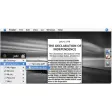
Filegazer simplifies how you navigate through your files. It’s a clever way to reach your important files on the spot. By simply hovering your mouse over the sides of your desktop, you reveal the folders you want to look at. Filegazer also lets you configure which folders appear and on which side of the screen. To reveal their content all you need to do is drag the folder open. The program's main asset is undoubtedly the rich preview feature, where without even opening a file, you can actually preview it, even if it is an MP3 or a video. If there’s one drawback to the program it would be that Filegazer lacks a “type and search” function to find files more quickly.

Languages:

English

OS requirements for Filegazer:

  • OS: Mac OS X

Minimum requirements:

  • Mac OS X 10.3.9 or later
Pros
  • Quick navigation
  • High definition preview of images
Cons
  • No type and search to find files
Did you like this review?
2 of 3 users liked it (67%)

From the publisher of Filegazer

Filegazer allows fast navigation through your file system in order to cope with the increasing capacity of modern hard drive. Filegazer has unique feature that distinguishes it from any other tool, Finder included, lays in its preview capabilities. Forget about miniatures, thumbnails, or poor file representations. Filegazer provides a rich preview for any major file types such as images, text documents, audio and video files, web pages and more.

Filegazer options

Filegazer Options

Reviews for Filegazer in other languages

Softonic Rating:Not bad
6/10

User Rating

1 rating
Usability
  • Currently 5/10.
Stability
  • Currently 8/10.
Installation
  • Currently 9/10.
Functionality
  • Currently 8/10.
Appearance
  • Currently 6/10.
soccer

Download stats